
Go to Windows platform Display platforms icon
Go to Windows platform Go to Mac platform Go to Android platform Go to iOS platform
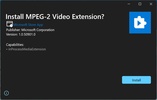
MPEG-2 Video Extension icon

MPEG-2 Video Extension

1.2.32.0
4.7 3 reviews
47 k downloads
security security

Watch videos with the MPEG-2 codec on Windows

Advertisement
Remove ads and more with Turbo
Advertisement
Remove ads and more with Turbo
Alberto García icon
Reviewed by
Alberto García
Developer’s Operations and Support
Alberto García is part of Uptodown's in-house Editorial Team. Translated by Uptodown Localization Team

MPEG-2 Video Extension is the official codec for Windows 10 that allows you to play MPEG-2 and MPEG-1 encoded videos. This video compression format is widely used in non-Full HD videos. For example, there are some videos in MP4 or MKV formats that are recorded using this codec. There are also videos in MPEG, MPG, TS, M2TS, and AVI formats that may cause problems.

Most third-party video players include all the codecs you need. However, the native Windows player does not include it. Therefore, if you want to watch videos in these formats with the Photos app or the Movies & TV app, you have to install this extension.

Advertisement
Remove ads and more with Turbo

After installing it, you can watch videos with this codec and view thumbnails for the videos in File Explorer.

This extension is useful not only for playing videos that you have stored on your PC, but also for reading DVDs on your computer. MPEG-2 was the format used to encode movies on the discs that came before Blu-ray. Therefore, after installing this codec, you'll have no problem playing any movies you own on DVD. So, if you want to play any videos in this format, don't hesitate to install MPEG-2 Video Extension.

MPEG-2 Video Extension is for you if

✓ You need Windows 10’s built-in apps to play MPEG-1 and MPEG-2 encoded videos reliably
✓ You value clear thumbnails in File Explorer for MPEG, MPG, TS, and similar video files
✓ You want to watch DVD movies on your PC without installing a separate third-party player

Information about MPEG-2 Video Extension 1.2.32.0

Basic information

Developer Microsoft
Category Codecs
Rating All ages
Languages English

Distribution model

Pricing Free
License Proprietary
Copyright © 2026 Microsoft
Why is this app published on Uptodown? (More information)

Security and privacy

Required permissions Not applicable
See security and antivirus report

Download info

Downloads 47,030
Date Aug 19, 2026
File type APPXBUNDLE
Size 2.73 MB
SHA256 a633c803a1bf1e7df9ee2064ec174e29b96aba870ceaab45334e2053ea3e6903
Advertisement
Remove ads and more with Turbo

Older versions

appxb 1.2.13.0 Feb 24, 2026
appxb 1.0.61931.0 Aug 20, 2023
appx 1.0.50901.0 Aug 3, 2022

Rate this App

Review the app
MPEG-2 Video Extension icon

Rating

4.7
5
4
3
2
1
3 reviews

Comments

modernyellowdonkey13160 icon
modernyellowdonkey13160
in 2024

super and fast

Like
Reply
Advertisement
Remove ads and more with Turbo
AV1 Video Extension icon
Playback and compress content with the AV1 codec in Windows
K-Lite Codec Pack (Standard) icon
The most complete codec pack
FFmpeg icon
One of the best open codecs for video playback
K-Lite Codec Pack (Full) icon
Unlimited playback with this complete codec pack
VP9 Video Extensions icon
Play VP9 codec videos natively on Windows
Media Player Codec Pack icon
Media Player Codec Pack for Windows 10 and 11
MX_FFmpeg (Codecs for MX Player) icon
Codecs for playing AC3, E-AC3, and DTS on MX Player
LAV Filters icon
Audio and video codecs for watching movies and series

More apps from this author

Microsoft Office 2013 icon
The all-new Office, more advanced than ever before
Microsoft Edge icon
Microsoft's browser with interesting features
Windows 7 USB DVD Download Tool icon
Burn your Windows 7 on a DVD or USB stick
DirectX icon
Improved performance for games and multimedia apps
Microsoft Teams icon
A complete workspace for teams and collaboration
Microsoft Flight Simulator icon
The most prestigious flight simulator of all times
Microsoft 365 icon
Enjoy the latest Microsoft Office updates
Microsoft Visual C++ Redistributable icon
Component required to run Visual C++ applications
CapCut icon
Incredibly powerful and easy-to-use video editor
HEVC Video Extensions from Device Manufacturer icon
Play HEVC (H.265) encoded videos on Windows
Adobe Premiere Pro icon
Video editing for professionals and beginners
Adobe After Effects icon
The most advanced video-editing tool from Adobe
VLC Media Player icon
A powerful media player and streaming server
FormatFactory icon
Conversion between video, sound and image formats
AV1 Video Extension icon
Playback and compress content with the AV1 codec in Windows
Media Player Classic - Home Cinema (MPC-HC) icon
An all-round great multimedia player